
Morphing Modal
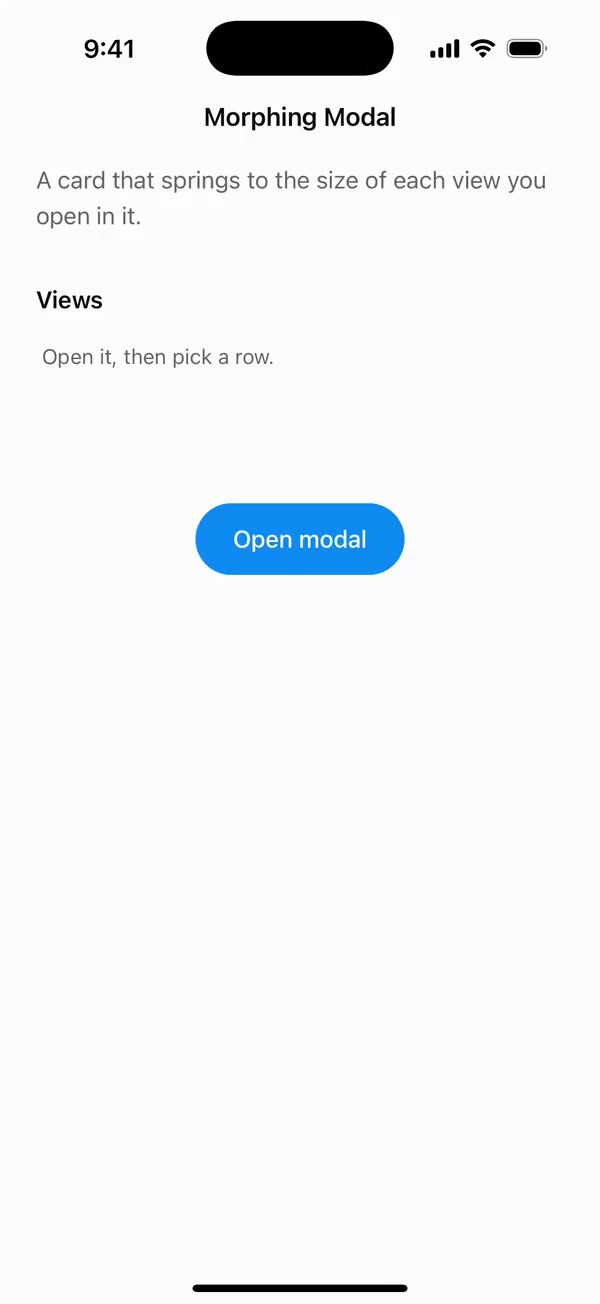
React NativeA card that springs to the size of each view you open in it.
Preview
Install
Source on GitHubIt works in Expo and in bare React Native. New to beUI Native? Set up your app first.
Copies the component and the shared files it needs into src/, adds the theme tokens if they're missing, and installs its libraries. Files you've changed are kept.
Keep the folder layout, since the component imports the shared files by relative path.
1Install the libraries
npx expo install react-native-gesture-handler react-native-reanimated react-native-screens react-native-svg react-native-worklets
npm install uniwind tailwindcss
Wrap your app in GestureHandlerRootView if it isn't already.
2Add the theme tokens
Once per app. Import it from the CSS file Uniwind reads, after Tailwind and Uniwind, and change the values to match your brand.
/* Matches the default beUI palette in ui-components/lib/themes.ts.
   Native surface maps to card; muted maps to muted-foreground. */
@layer theme {
  :root {
    @variant light {
      --color-background: oklch(99% 0 0);
      --color-surface: oklch(97% 0 0);
      --color-foreground: oklch(15% 0 0);
      --color-muted: oklch(50% 0 0);
      --color-border: oklch(15% 0 0 / 0.06);
      --color-border-strong: oklch(15% 0 0 / 0.16);
      --color-primary: #0285f7;
      --color-on-primary: #ffffff;
      --color-destructive: #dc2626;
      --color-success: #059669;
      --color-warning: #d97706;
    }
  }

  :root {
    @variant dark {
      --color-background: #151515;
      --color-surface: #1c1c1c;
      --color-foreground: oklch(96% 0 0);
      --color-muted: oklch(62% 0 0);
      --color-border: rgb(255 255 255 / 0.05);
      --color-border-strong: rgb(255 255 255 / 0.14);
      --color-primary: #0285f7;
      --color-on-primary: #ffffff;
      --color-destructive: #f87171;
      --color-success: #34d399;
      --color-warning: #fbbf24;
    }
  }

  /* Tailwind's default monospace stack isn't a font React Native can load. */
  :root {
    @variant ios {
      --font-mono: Menlo;
    }
  }

  :root {
    @variant android {
      --font-mono: monospace;
    }
  }
}
3Copy the shared files
import { useEffect, useRef, useState } from "react";

export type PresenceItem<T> = {
  key: string;
  value: T;
  /** False for the item present on first render, so it does not animate in. */
  appear: boolean;
  exiting: boolean;
};

/**
 * Keeps replaced items mounted while they animate out, like AnimatePresence.
 * A key that returns while exiting is revived in place.
 */
export function usePresence<T>(
  key: string | null,
  value: T,
  exitDuration: (value: T) => number,
) {
  const [items, setItems] = useState<PresenceItem<T>[]>(() =>
    key === null ? [] : [{ key, value, appear: false, exiting: false }],
  );
  const [currentKey, setCurrentKey] = useState(key);
  const exitDurationRef = useRef(exitDuration);
  exitDurationRef.current = exitDuration;

  // Adjust during render so the new item and the exits start in the same frame.
  if (key !== currentKey) {
    setCurrentKey(key);
    setItems((previous) => {
      const next = previous.map((item) =>
        item.key === key
          ? { ...item, value, exiting: false }
          : { ...item, exiting: true },
      );
      if (key !== null && !previous.some((item) => item.key === key)) {
        next.push({ key, value, appear: true, exiting: false });
      }
      return next;
    });
  }

  const exitingKeys = items
    .filter((item) => item.exiting)
    .map((item) => item.key)
    .join("\n");

  useEffect(() => {
    if (!exitingKeys) return;
    const timers = items
      .filter((item) => item.exiting)
      .map((item) =>
        setTimeout(() => {
          setItems((previous) =>
            previous.filter(
              (candidate) => !(candidate.key === item.key && candidate.exiting),
            ),
          );
        }, exitDurationRef.current(item.value)),
      );
    return () => {
      for (const timer of timers) clearTimeout(timer);
    };
    // Restart removal timers only when the set of exiting items changes.
  }, [exitingKeys]);

  return items;
}
import { useEffect, useState } from "react";
import { AccessibilityInfo } from "react-native";
import { useReducedMotion } from "react-native-reanimated";

/** Reanimated supplies a synchronous initial value; native events keep it current. */
export function useReducedMotionPreference() {
  const initialValue = useReducedMotion();
  const [reducedMotion, setReducedMotion] = useState(initialValue);

  useEffect(() => {
    let active = true;
    let receivedEvent = false;
    const subscription = AccessibilityInfo.addEventListener(
      "reduceMotionChanged",
      (value) => {
        receivedEvent = true;
        setReducedMotion(value);
      },
    );
    void AccessibilityInfo.isReduceMotionEnabled().then((value) => {
      if (active && !receivedEvent) setReducedMotion(value);
    });
    return () => {
      active = false;
      subscription.remove();
    };
  }, []);

  return reducedMotion;
}
import type { ReactNode } from "react";
import type { ColorValue } from "react-native";
import Svg, { Circle, Path, Rect } from "react-native-svg";

type GlyphProps = { size?: number; color?: ColorValue; strokeWidth?: number };

function Glyph({
  size = 16,
  color = "currentColor",
  strokeWidth = 2,
  children,
}: GlyphProps & { children: ReactNode }) {
  return (
    <Svg
      width={size}
      height={size}
      viewBox="0 0 24 24"
      fill="none"
      stroke={color}
      strokeWidth={strokeWidth}
      strokeLinecap="round"
      strokeLinejoin="round"
    >
      {children}
    </Svg>
  );
}

// Simple 24-unit stroke glyphs shared by the agent components.

export function ChevronDownGlyph(props: GlyphProps) {
  return (
    <Glyph {...props}>
      <Path d="M6 9l6 6 6-6" />
    </Glyph>
  );
}

export function ArrowUpGlyph(props: GlyphProps) {
  return (
    <Glyph {...props}>
      <Path d="M12 19V5M5.5 11.5L12 5l6.5 6.5" />
    </Glyph>
  );
}

export function PlusGlyph(props: GlyphProps) {
  return (
    <Glyph {...props}>
      <Path d="M12 5v14M5 12h14" />
    </Glyph>
  );
}

export function StopGlyph({ size = 12, color }: GlyphProps) {
  return (
    <Svg width={size} height={size} viewBox="0 0 12 12">
      <Rect x={1} y={1} width={10} height={10} rx={2.5} fill={color} />
    </Svg>
  );
}

export function CheckGlyph(props: GlyphProps) {
  return (
    <Glyph {...props}>
      <Path d="M5 12.5l4.5 4.5L19 7" />
    </Glyph>
  );
}

export function CopyGlyph(props: GlyphProps) {
  return (
    <Glyph {...props}>
      <Rect x={8.5} y={8.5} width={12} height={12} rx={2.5} />
      <Path d="M15.5 5.5v-.5A2 2 0 0 0 13.5 3h-8.5A2 2 0 0 0 3 5v8.5a2 2 0 0 0 2 2h.5" />
    </Glyph>
  );
}

export function RetryGlyph(props: GlyphProps) {
  return (
    <Glyph {...props}>
      <Path d="M3.5 12a8.5 8.5 0 1 0 2.6-6.1L3.5 8.5" />
      <Path d="M3.5 3.5v5h5" />
    </Glyph>
  );
}

export function ThumbGlyph({
  down = false,
  ...props
}: GlyphProps & { down?: boolean }) {
  return (
    <Glyph {...props}>
      <Path
        d="M7.5 10.5v10M7.5 10.5L11 3.5a2.5 2.5 0 0 1 2.5 2.5v3.5h5a2 2 0 0 1 2 2.3l-1.2 7A2 2 0 0 1 17.3 20.5H4.5a1 1 0 0 1-1-1v-8a1 1 0 0 1 1-1z"
        transform={down ? "rotate(180 12 12)" : undefined}
      />
    </Glyph>
  );
}

export function SearchGlyph(props: GlyphProps) {
  return (
    <Glyph {...props}>
      <Circle cx={11} cy={11} r={6.5} />
      <Path d="M16 16l4 4" />
    </Glyph>
  );
}

export function GlobeGlyph(props: GlyphProps) {
  return (
    <Glyph {...props}>
      <Circle cx={12} cy={12} r={8.5} />
      <Path d="M3.5 12h17M12 3.5c2.4 2.5 3.5 5.3 3.5 8.5s-1.1 6-3.5 8.5c-2.4-2.5-3.5-5.3-3.5-8.5s1.1-6 3.5-8.5z" />
    </Glyph>
  );
}

export function FileGlyph(props: GlyphProps) {
  return (
    <Glyph {...props}>
      <Path d="M14 3.5H7.5a2 2 0 0 0-2 2v13a2 2 0 0 0 2 2h9a2 2 0 0 0 2-2V8z" />
      <Path d="M14 3.5V8h4.5M9 13h6M9 16.5h4" />
    </Glyph>
  );
}

export function PencilGlyph(props: GlyphProps) {
  return (
    <Glyph {...props}>
      <Path d="M4 20h4L19 9a2.1 2.1 0 0 0-4-4L4 16z" />
      <Path d="M13.5 6.5l4 4M14 20h6" />
    </Glyph>
  );
}

export function TerminalGlyph(props: GlyphProps) {
  return (
    <Glyph {...props}>
      <Rect x={3.5} y={4.5} width={17} height={15} rx={2.5} />
      <Path d="M7.5 10l2.5 2-2.5 2M12.5 15h4" />
    </Glyph>
  );
}

export function WrenchGlyph(props: GlyphProps) {
  return (
    <Glyph {...props}>
      <Path d="M14.5 6.5a4 4 0 0 0 5 5l-8.8 8.8a2.1 2.1 0 0 1-3-3l8.8-8.8a4 4 0 0 1-2-2z" />
    </Glyph>
  );
}

export function SparkleGlyph(props: GlyphProps) {
  return (
    <Glyph {...props}>
      <Path d="M12 4l1.8 4.6L18.5 10.5l-4.7 1.9L12 17l-1.8-4.6-4.7-1.9 4.7-1.9z" />
      <Path d="M18.5 16.5v3M17 18h3" />
    </Glyph>
  );
}

export function MessageGlyph(props: GlyphProps) {
  return (
    <Glyph {...props}>
      <Path d="M20 14.5a2 2 0 0 1-2 2H8.5L4 20V6a2 2 0 0 1 2-2h12a2 2 0 0 1 2 2z" />
    </Glyph>
  );
}

export function ImageGlyph(props: GlyphProps) {
  return (
    <Glyph {...props}>
      <Rect x={3.5} y={4.5} width={17} height={15} rx={2.5} />
      <Circle cx={9} cy={10} r={1.5} />
      <Path d="M20.5 15.5l-4.5-4.5-9 8.5" />
    </Glyph>
  );
}

export function ShieldGlyph(props: GlyphProps) {
  return (
    <Glyph {...props}>
      <Path d="M12 3.5l7 2.5v5.5c0 4.4-3 7.7-7 9-4-1.3-7-4.6-7-9V6z" />
      <Path d="M9 12l2 2 4-4" />
    </Glyph>
  );
}

export function AlertGlyph(props: GlyphProps) {
  return (
    <Glyph {...props}>
      <Circle cx={12} cy={12} r={8.5} />
      <Path d="M12 8v4.5M12 16h.01" />
    </Glyph>
  );
}

export function CrossGlyph(props: GlyphProps) {
  return (
    <Glyph {...props}>
      <Path d="M6.5 6.5l11 11M17.5 6.5l-11 11" />
    </Glyph>
  );
}

export function HelpGlyph(props: GlyphProps) {
  return (
    <Glyph {...props}>
      <Circle cx={12} cy={12} r={8.5} />
      <Path d="M9.6 9.5a2.5 2.5 0 0 1 4.8 1c0 1.7-2.4 2.2-2.4 3.5M12 16.8h.01" />
    </Glyph>
  );
}

export function ArrowGlyph({
  back = false,
  ...props
}: GlyphProps & { back?: boolean }) {
  return (
    <Glyph {...props}>
      <Path
        d="M5 12h14M13 6l6 6-6 6"
        transform={back ? "rotate(180 12 12)" : undefined}
      />
    </Glyph>
  );
}

export function BracesGlyph(props: GlyphProps) {
  return (
    <Glyph {...props}>
      <Path d="M8.5 4H8a2 2 0 0 0-2 2v3.5A2.5 2.5 0 0 1 3.5 12 2.5 2.5 0 0 1 6 14.5V18a2 2 0 0 0 2 2h.5M15.5 4h.5a2 2 0 0 1 2 2v3.5a2.5 2.5 0 0 0 2.5 2.5 2.5 2.5 0 0 0-2.5 2.5V18a2 2 0 0 1-2 2h-.5" />
    </Glyph>
  );
}

export function BanGlyph(props: GlyphProps) {
  return (
    <Glyph {...props}>
      <Circle cx={12} cy={12} r={8.5} />
      <Path d="M6 6l12 12" />
    </Glyph>
  );
}

export function CircleCheckGlyph(props: GlyphProps) {
  return (
    <Glyph {...props}>
      <Circle cx={12} cy={12} r={8.5} />
      <Path d="M8.5 12.2l2.4 2.4 4.6-4.8" />
    </Glyph>
  );
}

export function CircleCrossGlyph(props: GlyphProps) {
  return (
    <Glyph {...props}>
      <Circle cx={12} cy={12} r={8.5} />
      <Path d="M9.5 9.5l5 5M14.5 9.5l-5 5" />
    </Glyph>
  );
}

export function ListGlyph(props: GlyphProps) {
  return (
    <Glyph {...props}>
      <Path d="M4 6.5l1.5 1.5L8 5.5M4 13l1.5 1.5L8 12M11.5 7h8.5M11.5 13.5h8.5M11.5 19h8.5M4.5 19h2" />
    </Glyph>
  );
}

/** An open ring, spun by SpinGlyph. */
export function RingGlyph(props: GlyphProps) {
  return (
    <Glyph {...props}>
      <Path d="M20.5 12a8.5 8.5 0 1 1-6-8.1" />
    </Glyph>
  );
}

export function ReplyGlyph(props: GlyphProps) {
  return (
    <Glyph {...props}>
      <Path d="M9.5 7L4.5 12l5 5M4.5 12h10a5 5 0 0 1 5 5v1" />
    </Glyph>
  );
}

export function WrapGlyph(props: GlyphProps) {
  return (
    <Glyph {...props}>
      <Path d="M4 6.5h16M4 12h12.5a3.25 3.25 0 0 1 0 6.5H12M4 18.5h4.5M14 16.5l-2 2 2 2" />
    </Glyph>
  );
}

export function BookGlyph(props: GlyphProps) {
  return (
    <Glyph {...props}>
      <Path d="M12 6.5c-1.6-1.3-4-2-7.5-2v13c3.5 0 5.9.7 7.5 2 1.6-1.3 4-2 7.5-2v-13c-3.5 0-5.9.7-7.5 2zM12 6.5v13" />
    </Glyph>
  );
}

export function ExternalGlyph(props: GlyphProps) {
  return (
    <Glyph {...props}>
      <Path d="M14 4.5h5.5V10M19.5 4.5L11 13M17 14v4a2 2 0 0 1-2 2H6a2 2 0 0 1-2-2V9a2 2 0 0 1 2-2h4" />
    </Glyph>
  );
}

export function DoubleCheckGlyph(props: GlyphProps) {
  return (
    <Glyph {...props}>
      <Path d="M2.5 12.5l4.5 4.5 9-9.5M12 16.5l.5.5 9-9.5" />
    </Glyph>
  );
}

export function ClockGlyph(props: GlyphProps) {
  return (
    <Glyph {...props}>
      <Circle cx={12} cy={12} r={8.5} />
      <Path d="M12 7.5V12l3 2" />
    </Glyph>
  );
}

export function MicGlyph(props: GlyphProps) {
  return (
    <Glyph {...props}>
      <Rect x={9} y={3.5} width={6} height={11} rx={3} />
      <Path d="M5.5 11a6.5 6.5 0 0 0 13 0M12 17.5v3" />
    </Glyph>
  );
}
import { type ReactNode, useEffect, useRef } from "react";
import { Modal, Platform, StyleSheet } from "react-native";
import { GestureHandlerRootView } from "react-native-gesture-handler";
import { FullWindowOverlay } from "react-native-screens";

export type OverlayProps = {
  /** Defaults to true. */
  visible?: boolean;
  /** The Android back button. iOS has no equivalent. */
  onRequestClose: () => void;
  /** Called once the overlay is on screen. */
  onShow?: () => void;
  /** Read by VoiceOver as a modal container, so it stays inside. */
  accessibilityViewIsModal?: boolean;
  children: ReactNode;
};

/**
 * A layer above the whole window, for menus, popovers and modals.
 *
 * On iOS a React Native `Modal` is presented from the screen that renders it,
 * so inside native tabs it stops at the tab bar. `FullWindowOverlay` draws in
 * its own window above everything instead. On Android a `Modal` already opens
 * its own window, and handles the back button.
 */
export function Overlay({
  visible = true,
  onRequestClose,
  onShow,
  accessibilityViewIsModal = true,
  children,
}: OverlayProps) {
  // Gestures inside a separate window or a modal need their own root.
  const content = (
    <GestureHandlerRootView style={styles.root}>
      {children}
    </GestureHandlerRootView>
  );

  if (Platform.OS === "ios") {
    return visible ? (
      <IosOverlay onShow={onShow} modal={accessibilityViewIsModal}>
        {content}
      </IosOverlay>
    ) : null;
  }

  return (
    <Modal
      transparent
      visible={visible}
      animationType="none"
      statusBarTranslucent
      navigationBarTranslucent
      onShow={onShow}
      onRequestClose={onRequestClose}
    >
      {content}
    </Modal>
  );
}

function IosOverlay({
  onShow,
  modal,
  children,
}: {
  onShow?: () => void;
  modal: boolean;
  children: ReactNode;
}) {
  const onShowRef = useRef(onShow);
  onShowRef.current = onShow;
  // The overlay is on screen once it mounts.
  useEffect(() => {
    onShowRef.current?.();
  }, []);

  return (
    <FullWindowOverlay unstable_accessibilityContainerViewIsModal={modal}>
      {children}
    </FullWindowOverlay>
  );
}

const styles = StyleSheet.create({ root: { flex: 1 } });
import { Easing, ReduceMotion } from "react-native-reanimated";

// Mirrors beUI's lib/ease.ts so native motion matches the web library.

export const EASE_OUT = Easing.bezier(0.16, 1, 0.3, 1);
export const EASE_IN_OUT = Easing.bezier(0.77, 0, 0.175, 1);

/** Press feedback on buttons and other tappable surfaces. */
export const SPRING_PRESS = {
  stiffness: 500,
  damping: 30,
  mass: 0.6,
  reduceMotion: ReduceMotion.System,
} as const;

/** Content swaps: label and icon slots trading places inside a control. */
export const SPRING_SWAP = {
  stiffness: 460,
  damping: 30,
  mass: 0.55,
  reduceMotion: ReduceMotion.System,
} as const;

/** Shared-layout glides: pills, indicators and panels moving between positions. */
export const SPRING_LAYOUT = {
  stiffness: 360,
  damping: 32,
  mass: 0.6,
  reduceMotion: ReduceMotion.System,
} as const;

/** Dragged handles and fills; critically damped so values never rebound off an end. */
export const SPRING_GLIDE = {
  stiffness: 700,
  damping: 50,
  mass: 0.5,
  reduceMotion: ReduceMotion.System,
} as const;

export const motion = {
  press: SPRING_PRESS,
  swap: SPRING_SWAP,
  layout: SPRING_LAYOUT,
  glide: SPRING_GLIDE,
  exit: { duration: 160, easing: EASE_OUT, reduceMotion: ReduceMotion.System },
  fade: { duration: 150, reduceMotion: ReduceMotion.System },
} as const;
4Copy the component
export {
  MorphingModal,
  MorphingModalHeader,
  type MorphingModalHeaderProps,
  type MorphingModalProps,
} from "./morphing-modal";
import {
  createContext,
  type ReactNode,
  useCallback,
  useContext,
  useEffect,
  useRef,
  useState,
} from "react";
import {
  Pressable,
  StyleSheet,
  Text,
  useWindowDimensions,
  View,
} from "react-native";
import { Gesture, GestureDetector } from "react-native-gesture-handler";
import Animated, {
  Easing,
  ReduceMotion,
  useAnimatedStyle,
  useSharedValue,
  withSpring,
  withTiming,
} from "react-native-reanimated";
import { scheduleOnRN } from "react-native-worklets";
import { useResolveClassNames } from "uniwind";
import { usePresence } from "../../hooks/use-presence";
import { useReducedMotionPreference } from "../../hooks/use-reduced-motion";
import { ArrowGlyph, CrossGlyph } from "../../primitives/agent-icons";
import { Overlay } from "../../primitives/overlay";
import { EASE_OUT } from "../../styles/motion";

/** The card rising into place and settling, without overshoot. */
const SPRING_OPEN = {
  stiffness: 380,
  damping: 38,
  mass: 0.8,
  reduceMotion: ReduceMotion.System,
} as const;
/** The card's height following a view change: quick, a touch of give. */
const SPRING_MORPH = {
  stiffness: 420,
  damping: 36,
  mass: 0.7,
  reduceMotion: ReduceMotion.System,
} as const;
const CLOSE = {
  duration: 220,
  easing: Easing.bezier(0.32, 0, 0.67, 0),
  reduceMotion: ReduceMotion.System,
} as const;
const VIEW_IN = { duration: 240, easing: EASE_OUT } as const;
const VIEW_OUT = { duration: 150, easing: EASE_OUT } as const;
/** How far to pull before letting go dismisses, and how fast a flick must be. */
const DISMISS_DISTANCE = 110;
const DISMISS_VELOCITY = 900;
const EDGE = 12;

type ModalContextValue = {
  close: () => void;
  reduce: boolean;
};

const ModalContext = createContext<ModalContextValue | null>(null);

function useModalContext(component: string) {
  const context = useContext(ModalContext);
  if (!context)
    throw new Error(`${component} must be used inside <MorphingModal>.`);
  return context;
}

export type MorphingModalProps = {
  /** The view to show, by name. `null` closes the modal. */
  view: string | null;
  onClose: () => void;
  /**
   * Called by the Android back button. Pass it on views reached from another
   * view, so back steps out of them; without it, back closes the modal.
   */
  onBack?: () => void;
  /** The current view's content. Give each view its own `view` name. */
  children: ReactNode;
  /**
   * The bottom safe-area inset. The card sits low over the home indicator,
   * close to the screen's curved corners, and keeps at least 12 points of
   * space. Defaults to 0.
   */
  bottomInset?: number;
  /** Whether a swipe down or a tap outside closes it. Defaults to true. */
  dismissible?: boolean;
  /** Read by screen readers when the modal opens. */
  accessibilityLabel?: string;
  className?: string;
  /** Opens, morphs and closes without motion, independently of the system preference. */
  disableAnimation?: boolean;
};

/**
 * A card that rises from the bottom of the screen and morphs its height as
 * you move between the views inside it, in the style of the Family wallet.
 * Each view fades and lifts into place while the card springs to its size.
 * Swipe it down, or tap outside, to close.
 */
export function MorphingModal({
  view,
  onClose,
  onBack,
  children,
  bottomInset = 0,
  dismissible = true,
  accessibilityLabel,
  className = "",
  disableAnimation = false,
}: MorphingModalProps) {
  const reducedMotion = useReducedMotionPreference();
  const reduce = reducedMotion || disableAnimation;
  const window = useWindowDimensions();
  const open = view !== null;

  // Stay mounted through the close, showing the last view.
  const [present, setPresent] = useState(open);
  if (open && !present) setPresent(true);
  const shown = useRef(view);
  if (view !== null) shown.current = view;
  // Each view's latest content, so a view leaves looking as it did, not as it
  // first appeared.
  const latest = useRef(new Map<string, ReactNode>());
  if (view !== null) latest.current.set(view, children);
  const items = usePresence(
    present ? shown.current : null,
    children,
    () => VIEW_OUT.duration,
  );

  const progress = useSharedValue(0);
  const drag = useSharedValue(0);
  const height = useSharedValue(0);
  const [measured, setMeasured] = useState(false);
  const measuredRef = useRef(false);

  const hide = useCallback(() => {
    latest.current.clear();
    setPresent(false);
    setMeasured(false);
    measuredRef.current = false;
    drag.value = 0;
  }, [drag]);

  useEffect(() => {
    if (!present) return;
    if (open) {
      if (!measured) return;
      progress.value = reduce
        ? withTiming(1, { duration: 160 })
        : withSpring(1, SPRING_OPEN);
    } else {
      progress.value = withTiming(
        0,
        reduce ? { duration: 140 } : CLOSE,
        (done) => {
          if (done) scheduleOnRN(hide);
        },
      );
    }
  }, [hide, measured, open, present, progress, reduce]);

  // The first size lands before the card rises; later ones morph.
  const onMeasure = useCallback(
    (next: number) => {
      if (!measuredRef.current) {
        height.value = next;
        measuredRef.current = true;
        setMeasured(true);
        return;
      }
      height.value = reduce ? next : withSpring(next, SPRING_MORPH);
    },
    [height, reduce],
  );

  const close = useCallback(() => {
    if (open) onClose();
  }, [onClose, open]);

  const travel = window.height * 0.6;
  const pan = Gesture.Pan()
    .enabled(dismissible && open)
    .activeOffsetY(10)
    .failOffsetX([-16, 16])
    .onUpdate((event) => {
      // Down follows the finger; up resists, so the card stays anchored.
      drag.value =
        event.translationY > 0
          ? event.translationY
          : -Math.sqrt(-event.translationY) * 3;
    })
    .onEnd((event) => {
      if (
        event.translationY > DISMISS_DISTANCE ||
        event.velocityY > DISMISS_VELOCITY
      ) {
        scheduleOnRN(close);
      } else {
        drag.value = withSpring(0, SPRING_OPEN);
      }
    });

  const panelStyle = useAnimatedStyle(() => {
    const p = progress.value;
    if (reduce) return { opacity: p, transform: [{ translateY: drag.value }] };
    return {
      opacity: Math.min(1, p * 2),
      transform: [
        { translateY: (1 - p) * travel + Math.max(-40, drag.value) },
        { scale: 0.96 + 0.04 * Math.min(1, p) },
      ],
    };
  }, [reduce, travel]);
  const sizeStyle = useAnimatedStyle(() => ({ height: height.value }));
  const scrimStyle = useAnimatedStyle(() => ({
    // The scrim lightens as the card is pulled away.
    opacity:
      Math.min(1, progress.value) *
      (1 - Math.min(0.6, Math.max(0, drag.value) / 400)),
  }));

  if (!present) return null;

  return (
    <Overlay onRequestClose={() => (onBack ? onBack() : close())}>
      <Animated.View
        style={[StyleSheet.absoluteFill, scrimStyle]}
        className="bg-black/25"
      >
        <Pressable
          accessibilityLabel="Close"
          accessibilityRole="button"
          style={StyleSheet.absoluteFill}
          onPress={dismissible ? close : undefined}
        />
      </Animated.View>
      <View
        pointerEvents="box-none"
        style={[
          styles.layer,
          { paddingBottom: Math.max(EDGE, bottomInset - 20) },
        ]}
      >
        <GestureDetector gesture={pan}>
          <Animated.View
            accessibilityViewIsModal
            accessibilityLabel={accessibilityLabel}
            style={[styles.card, panelStyle]}
            className={`border border-border bg-background ${className}`}
          >
            <ModalContext.Provider value={{ close, reduce }}>
              <Animated.View style={[styles.clip, sizeStyle]}>
                {items.map((item) => (
                  <ViewLayer
                    key={item.key}
                    appear={item.appear && measured}
                    exiting={item.exiting}
                    reduce={reduce}
                    onMeasure={item.exiting ? undefined : onMeasure}
                  >
                    {latest.current.get(item.key) ?? item.value}
                  </ViewLayer>
                ))}
              </Animated.View>
            </ModalContext.Provider>
          </Animated.View>
        </GestureDetector>
      </View>
    </Overlay>
  );
}

/**
 * One view inside the card. It sits on top of the others and measures its
 * own height, so the card can spring to it while the old view fades out
 * underneath.
 */
function ViewLayer({
  appear,
  exiting,
  reduce,
  onMeasure,
  children,
}: {
  appear: boolean;
  exiting: boolean;
  reduce: boolean;
  onMeasure?: (height: number) => void;
  children: ReactNode;
}) {
  const shown = useSharedValue(appear ? 0 : 1);

  useEffect(() => {
    const target = exiting ? 0 : 1;
    shown.value = withTiming(target, exiting ? VIEW_OUT : VIEW_IN);
  }, [exiting, shown]);

  const style = useAnimatedStyle(() => {
    const p = shown.value;
    if (reduce) return { opacity: p };
    // In from slightly below, out slightly upward.
    const offset = exiting ? -10 : 10;
    return {
      opacity: p,
      transform: [{ translateY: (1 - p) * offset }, { scale: 0.98 + 0.02 * p }],
    };
  }, [exiting, reduce]);

  return (
    <Animated.View
      pointerEvents={exiting ? "none" : "auto"}
      accessibilityElementsHidden={exiting}
      importantForAccessibility={exiting ? "no-hide-descendants" : "auto"}
      onLayout={({ nativeEvent }) => onMeasure?.(nativeEvent.layout.height)}
      style={[styles.view, style]}
    >
      {children}
    </Animated.View>
  );
}

export type MorphingModalHeaderProps = {
  title?: string;
  /** Shown before the title, such as a glyph for the view. */
  icon?: ReactNode;
  /** Shows a back button that calls this, for views reached from another. */
  onBack?: () => void;
  className?: string;
};

/**
 * The top row of a view: an optional back button and title, and a close
 * button. Every view can use one, so the controls stay put as views change.
 */
export function MorphingModalHeader({
  title,
  icon,
  onBack,
  className = "",
}: MorphingModalHeaderProps) {
  const { close } = useModalContext("MorphingModalHeader");
  const { color: muted } = useResolveClassNames("text-muted");

  return (
    <View className={`mb-4 min-h-8 flex-row items-center gap-3 ${className}`}>
      {onBack ? (
        <HeaderButton accessibilityLabel="Back" onPress={onBack}>
          <ArrowGlyph back size={16} color={muted} strokeWidth={2.2} />
        </HeaderButton>
      ) : null}
      {icon}
      <Text
        accessibilityRole="header"
        numberOfLines={1}
        className="flex-1 text-[17px] font-semibold text-foreground"
      >
        {title}
      </Text>
      <HeaderButton accessibilityLabel="Close" onPress={close}>
        <CrossGlyph size={14} color={muted} strokeWidth={2.4} />
      </HeaderButton>
    </View>
  );
}

function HeaderButton({
  accessibilityLabel,
  onPress,
  children,
}: {
  accessibilityLabel: string;
  onPress: () => void;
  children: ReactNode;
}) {
  return (
    <Pressable
      accessibilityRole="button"
      accessibilityLabel={accessibilityLabel}
      hitSlop={6}
      onPress={onPress}
      className="h-8 w-8 items-center justify-center rounded-full bg-foreground/5 active:bg-foreground/10"
    >
      {children}
    </Pressable>
  );
}

const styles = StyleSheet.create({
  layer: {
    ...StyleSheet.absoluteFill,
    justifyContent: "flex-end",
    alignItems: "center",
    paddingHorizontal: EDGE,
  },
  card: {
    width: "100%",
    maxWidth: 440,
    borderRadius: 36,
    borderCurve: "continuous",
    overflow: "hidden",
  },
  clip: { overflow: "hidden" },
  view: { position: "absolute", top: 0, left: 0, right: 0, padding: 20 },
});
Documentation
Native port of beUI Morphing Modal, in the style of the Family wallet: one card that rises from the bottom of the screen and springs to the size of each view you open in it.
import { MorphingModal, MorphingModalHeader } from "./src";

const [view, setView] = useState<"options" | "details" | null>(null);

<MorphingModal
  view={view}
  onClose={() => setView(null)}
  onBack={view === "details" ? () => setView("options") : undefined}
  bottomInset={insets.bottom}
>
  {view === "options" ? (
    <View>
      <MorphingModalHeader title="Options" />
      <Row label="Details" onPress={() => setView("details")} />
    </View>
  ) : view === "details" ? (
    <View>
      <MorphingModalHeader onBack={() => setView("options")} />
      <Text>…</Text>
    </View>
  ) : null}
</MorphingModal>
Views
viewnames the view to show;nullcloses the modal. Render the matching content aschildren.- When
viewchanges, the old view fades and lifts away while the new one rises in, and the card springs to the new view's height. - A view that changes its own size, such as revealing more content, morphs the card too.
MorphingModalHeaderputs a title and a close button at the top of a view. Give itonBackon views reached from another, and a back button appears before the title.
Closing
- Swipe the card down, or tap outside it. The backdrop lightens as you pull.
dismissible={false}keeps it open until a control closes it. - The Android back button calls
onBackwhen you pass it, so it steps back a view before it closes. - Pass
bottomInsetto keep the card above the home indicator. Inside a tab screen,useSafeAreaInsets().bottomalso counts the tab bar, which the modal covers, so use the device's inset:initialWindowMetrics?.insets.bottomfromreact-native-safe-area-context.
Better on a phone
- The card floats above the bottom edge with large, continuous corners, and follows your finger when you drag it. Pulling up resists, so it stays anchored.
- Height and content move on the UI thread with Reanimated, so the morph keeps up while JavaScript is busy.
Accessibility
- The card is a modal for screen readers, named by
accessibilityLabel, and the leaving view is hidden from them and can't be tapped. - It shows above the whole window, tab bars included.
- Header buttons are named "Back" and "Close", with touch targets of 44 points.
- Reduced motion, or
disableAnimation, swaps views with a fade and changes height without motion.
Copy this directory, hooks/use-presence.ts, hooks/use-reduced-motion.ts, primitives/agent-icons.tsx, primitives/overlay.tsx, styles/motion.ts, and the semantic tokens in styles/theme.css. It uses react-native-svg for its icons, and Gesture Handler and Reanimated for the drag and motion. Its overlay uses FullWindowOverlay from react-native-screens on iOS, so it covers native tab bars.